Dalet Flex documentation has moved!
This page is no longer actively maintained. For the latest documentation, please visit us at our new support portal: https://support.dalet.com
Searching
You have the ability to search through all of your hierarchies. This can be useful if you want to locate a specific object within one of your hierarchies.
To search through your hierarchies
-
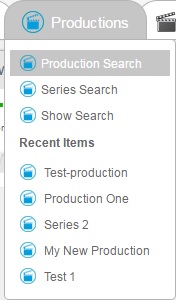
On the global navigation, hover over the tab for your root object type. For example, Productions.
-
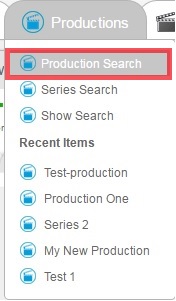
From the drop down, click on an object type that you wish to search for. So in our example we could choose Production Search.
-
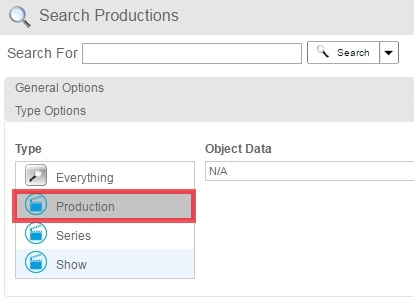
In the search options section, click Type Options to expand the complex.

-
Select the object type you wish to search for, e.g. Production. If you wish to search through all your object types, you can click the Everything option.
-
Enter a key word in the search bar and click Search.

-
The search results will be listed below.
