Dalet Flex documentation has moved!
This page is no longer actively maintained. For the latest documentation, please visit us at our new support portal: https://support.dalet.com
Creating a New Action
To create a new action:
-
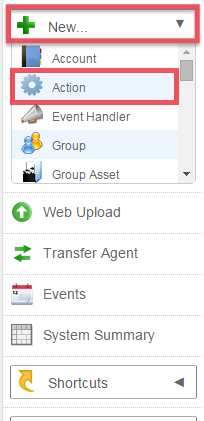
On the toolbar, click the New option and select Action from the drop down menu.
-
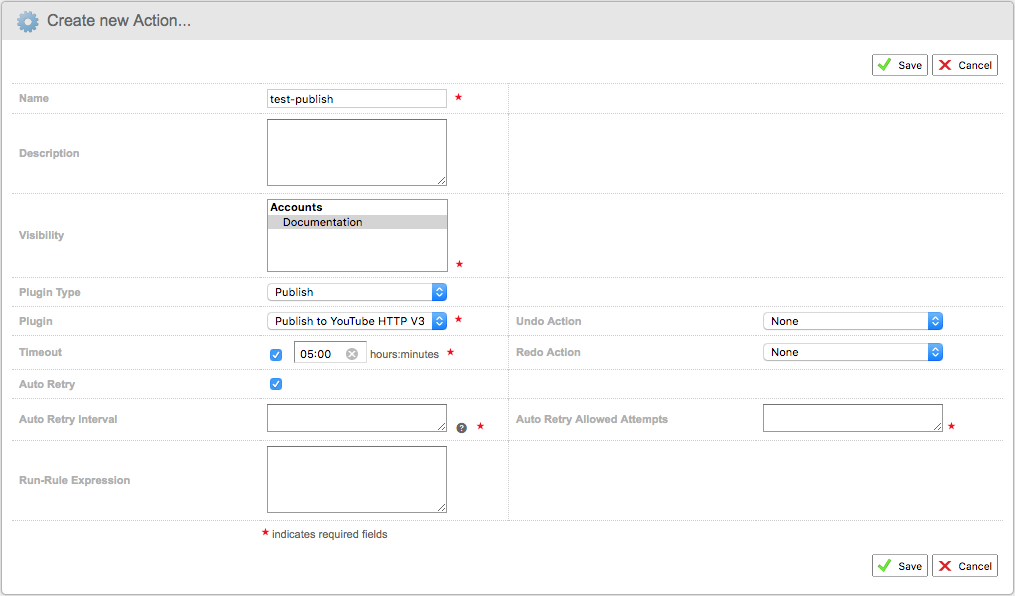
In the Create new Action… page, complete the following fields:
- Name: enter a name for your new action
- Description: enter an optional description
- Visibility: select the accounts, subaccounts, and groups that will be able to access this action
- Plugin Type: select a plugin type, which is the type of action you wish to create
- Plugin: select a plugin from the drop down menu
- Timeout: if required, specify a timeout by selecting the checkbox and entering a value. A timeout value specifies how long a job with this action can run, before it is deemed timed out.
- Auto Retry: if required, specify an auto retry interval and number of attempts by selecting the checkbox and entering the values.
- Run Rule Expression: you can assign a run rule expression if required. A run rule value specifies the rules that govern when an action can be run.
-
Click Save once you are happy with your settings.
-
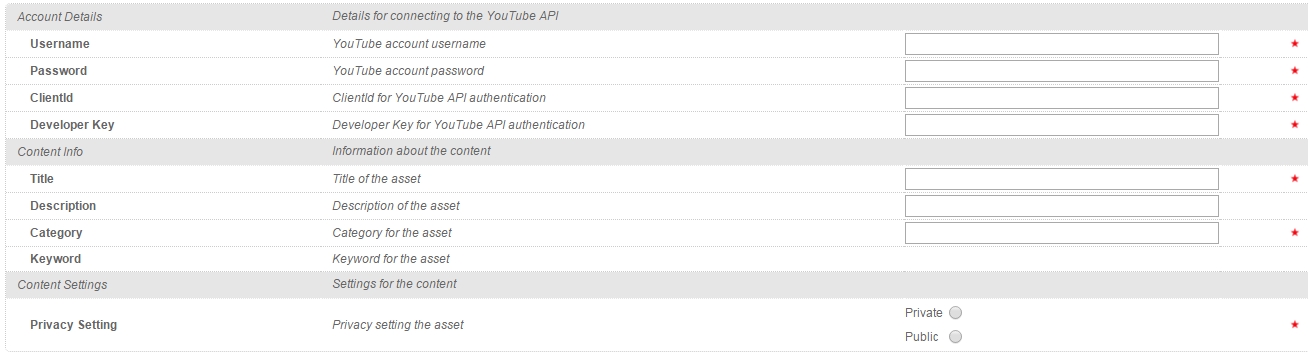
Once you’ve created your action, click the Configuration sub-tab in order to define the values that you wish to assign to your new action.
-
Enable your action, by clicking the Enable option in the Action Details screen.

Managing Actions
The properties that are specific to an action are:
- Action Type: The type of action, for example transcode, ingest or QC.
- Timeout: This field sets the maximum time a job can run an action, before the job scheduler sets the job to a timed out state. This functionality is useful for warning users of Dalet Flex that a job has been running longer than anticipated. This field is not mandatory.
- Run Rule Expression: A run-rule expression is used to define when an action can be run and should be made visible in the Asset toolbar. The value of this field is a scripted expression that is run to identify whether it should be visible or not.
- Plugin: The name of the API plugin that carries the functionality for this action.
- Undo Action: This points to an action that reverses the current action. For example for “Publish to YouTube”, you might select an “Un-Publish from YouTube” action if there is one. This approach means that when you have published an asset to YouTube, Dalet Flex knows what action to offer you in order to reverse it. This field is not mandatory, in which case you will not be offered the opportunity to Un-Publish.
- Redo Action: This points to the action that repeats the current action. For example for “Publish to YouTube”, you might select a “Re-Publish to YouTube” action if there is one. This approach means that when you have published an asset to YouTube, Dalet Flex knows what Action to offer you in order to repeat it. This field is not mandatory, in which case you will not be offered the opportunity to re-publish.
Although actions are used by Dalet Flex within jobs and workflows definitions, they are typically only configured by admin users.
Timeout
Actions support an optional Timeout field. If a timeout is set, then when this action is run as a job. If the job runs longer than the timeout period, the job will be marked as “Timed Out”. This state change will generate an event but will continue running to completion. Timeout periods provide a very useful way of knowing if a job has been running longer than expected.
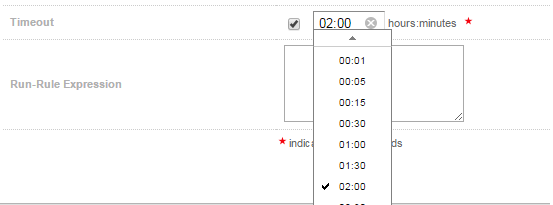
You can select the time out period from the drop down.
Run Rules
A run rule is an expression that is evaluated in order to decide whether an action can be run in a certain context. Every action has a default run rule which can be overridden. Run rules are extremely valuable if you only wish to make a certain action available when it is in a certain state. For example: you may only wish to make a “Publish to YouTube” action available, if an asset is not deleted.
Undo and Redo Actions
Some action types support the concept of being undone or redone. Clearly this functionality does not apply to all action types. For example: it would make no sense to redo a Delete action. A good example of an action type that supports both undo and redo is the Publish action. It makes sense that some publish actions should allow you to unpublish and republish your content if the need arises.
The Undo and Redo actions can be referenced by a standard action (i.e. a publish action), so that after an action has been implemented, Dalet Flex knows what undo and redo actions are available to offer to the user.
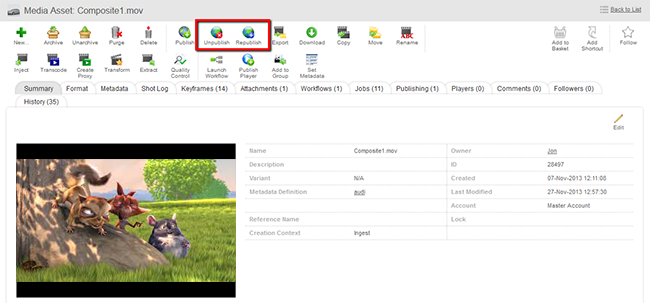
This is an example of a published asset. You can clearly see the Unpublish and Republish options are available.