Dalet Flex documentation has moved!
This page is no longer actively maintained. For the latest documentation, please visit us at our new support portal: https://support.dalet.com
Image Sequence Asset
An Image Sequence Asset is a package asset supported in the Flex Media Platform that encompasses file types such as DPX, EXR, and TIF file formats.
DPX (Digital Picture Exchange) is a file format for digital intermediate and visual effects work and is a SMPTE standard.
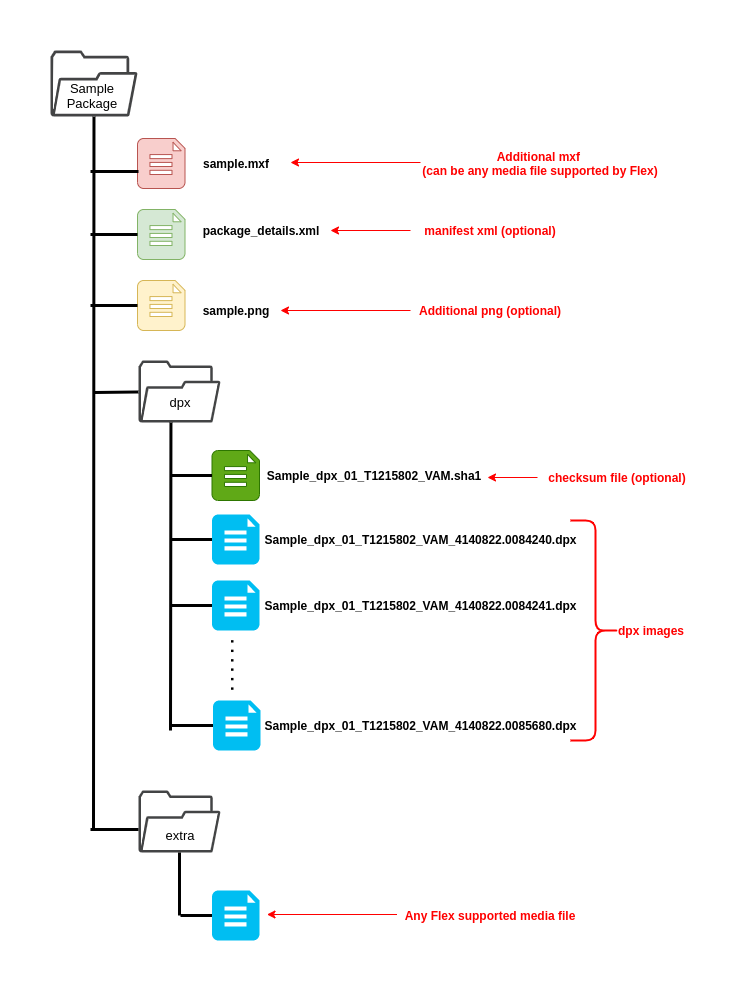
DPX files will be imported into Flex using the Image Sequence Import Plugin as a package asset. Any media file (e.g. mp4, mov, png, etc.) within the package will be imported as a member of the Image Sequence asset. Non-media files like xml, sha1 are tracked in Flex via FileDetails of the Image Sequence asset; these files will not listed on the Flex user interface, but can be accessed via API and SDK.
Technical metadata is extracted using Flex Stream Processor (FSP) as part of import and the json is persisted to Arango. The json document uuid is listed on the File tab of Image Sequence Asset.
Sample Package Structure
Importing an Image Sequence asset
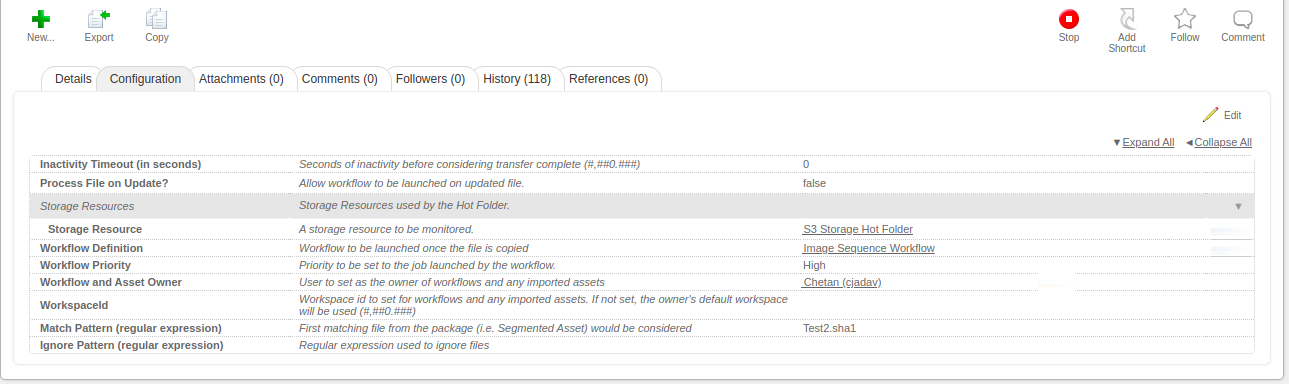
Importing an Image sequence asset follows the same process as importing other assets to Flex. You will need to configure a hot folder resource, an import workflow, and an import action.
Sample Hot folder resource configuration
Sample Image sequence import action
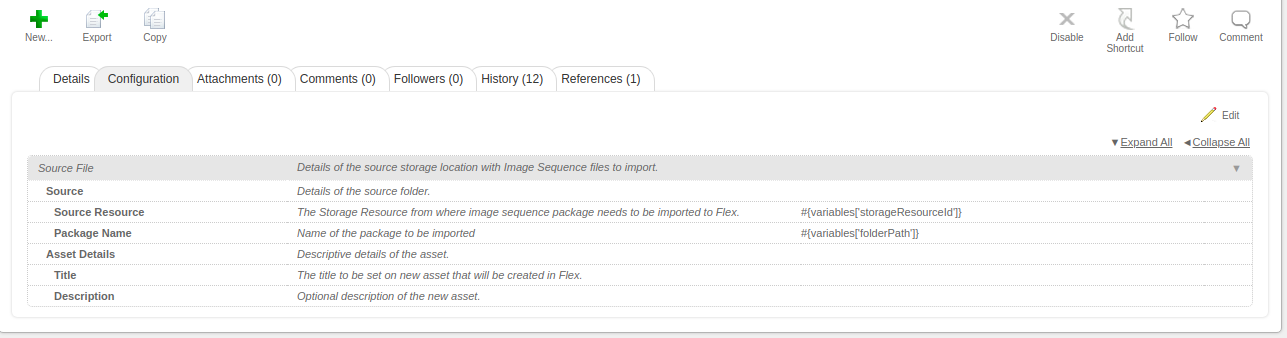
Image Sequence Import Plugin
The Image Sequence Import Plugin is a JEF plugin that carries out the following steps to import a DPX package from FILE and S3 locations into Flex:
- Parse package - identifies what files need to be created as members of package.
- Copy files - copies all the files from the source storage resource to target folder resource for the given package name. This will send a copy request to Asset Transfer Service.
- Track copy files status - Once the copy is completed, the Asset Transfer Service returns the tracking details and status.
- Extract technical metadata - calls Flex Stream Processor (FSP) to extract technical metadata for member and parent assets.
- Create Image Sequence Asset - Updates VFS location and adds the members in the parent asset.
Notes:
- This asset type supports standard Flex features and baseline actions (e.g. metadata handling).
- The package name should be set as an asset title instead of the name of the directory which contains dpx/exr/tif files.
- The additional files are expected under the same directory (or sub-directory) containing the DPX files. However, it is possible for non DPX files to be stored in other directories at the same level as directory containing DPX files.